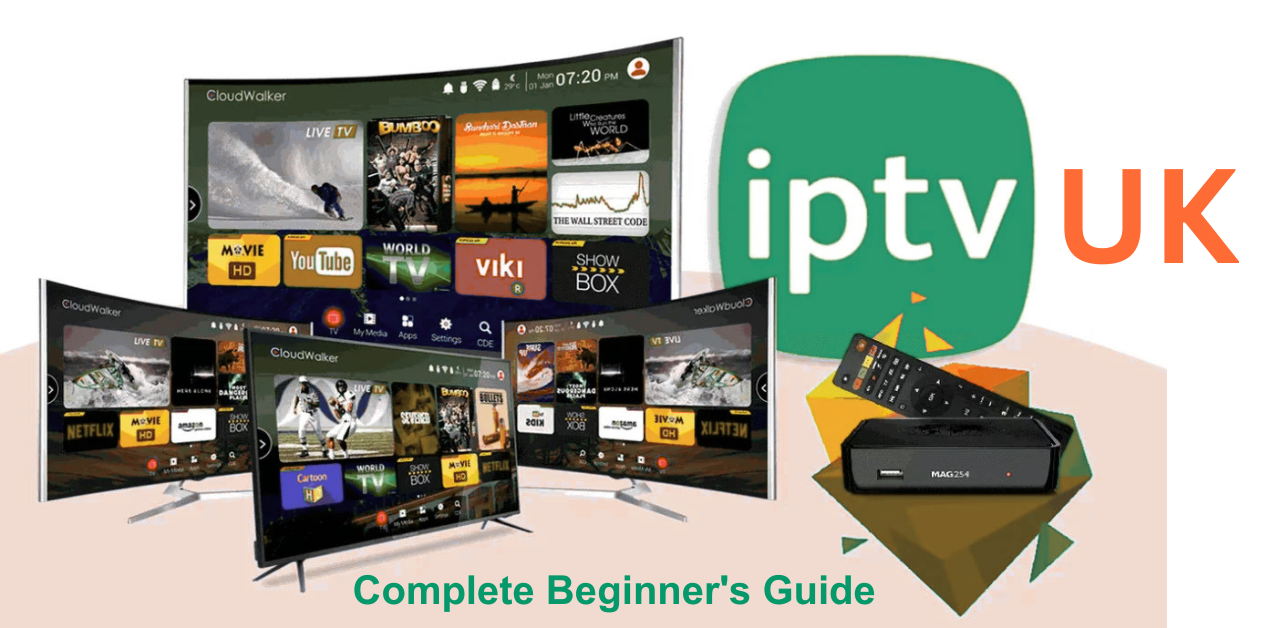
What Is IPTV UK? A Complete Beginner's Guide
IPTV stands for Internet Protocol Television. In everyday language, it means television content delivered through an internet-based connection instead of being received solely through a traditional TV aerial, satellite dish or cable television signal.
If you have watched live TV or on-demand programmes in an official broadcaster app, you have encountered television delivered over IP networks. Different apps and services may use different internet-video delivery methods, so they are not technically identical or interchangeable. For a beginner, the essential checks are device compatibility and authorised access to the content.
New to IPTV? Start with the plain-language glossary, supported-device checks and first-time setup checklist below. For more detail on live-TV delivery, VOD, catch-up and playback technology, read our IPTV delivery and streaming explainer.
THE SHORT ANSWER: WHAT DO YOU NEED?
Typically you need:
1. A stable broadband or mobile-data connection.
2. A compatible smart TV, streaming stick, phone, tablet or computer.
3. The official or compatible app supported by the service.
4. An account or authorised access where required.
5. Content the service is permitted to provide to you.
You do not necessarily need a special set-top box. Device compatibility depends on the operating system and the apps available for that particular model.
IPTV TERMS EXPLAINED WITHOUT JARGON
Live TV means watching a programme being distributed at the time of its scheduled broadcast.
VOD, or video on demand, means choosing an available film or programme and starting it when you wish, rather than following a live schedule.
Catch-up TV means replaying recently broadcast programmes through a service that supports that feature. It is not available for every channel or programme.
EPG means electronic programme guide: an on-screen schedule of programmes where one is available. A missing EPG does not necessarily mean the stream itself is broken.
Playlist means a set of references a compatible player may use to organise streams. A playlist file is not proof that the streams are authorised and it does not itself include content licences.
For more detail about playlist files, read our M3U playlist explanation and setup guide.
Buffering is when the player pauses to receive enough video data to keep playback going. It can result from Wi-Fi congestion, insufficient bandwidth, a server problem or another bottleneck.
For a step-by-step breakdown of playback interruptions, consult the IPTV buffering troubleshooting guide.
Simultaneous connection means permission to view more than one stream at a time. A service that works on several types of device may still allow only one active stream.
WHAT CAN YOU WATCH WITH IPTV?
Depending on the legitimate service you select, available features may include scheduled television channels, broadcaster catch-up, films, series, documentaries, children's programmes or international programming. No single IPTV package necessarily offers all those categories.
Content availability also depends on geography and distribution rights. The most reliable way to check a particular show, league or channel is to consult the broadcaster or rights holder and the official service's current schedule and catalogue.
IPTV IN FOUR SIMPLE STEPS: A BEGINNER EXAMPLE
Imagine opening an official TV app on a supported smart television.
Step 1: You connect the device to your home network and open the service's app.
Step 2: You choose an available programme or live channel from the service catalogue.
Step 3: The app requests the authorised stream and starts receiving video data. It temporarily buffers a small amount to help playback continue smoothly.
Step 4: You watch. Where the service supports adaptive quality, the player can adjust picture quality when the connection changes.
The process is different from downloading an entire film first: streaming generally receives the content progressively as you watch it.
WHICH DEVICES ARE SUITABLE FOR A BEGINNER?
Smart television: convenient for living-room viewing, provided a suitable app exists on the TV's operating system.
Streaming stick or box: useful when your TV lacks the required app or its software is too old. The device still needs a stable network connection.
Phone or tablet: portable and often straightforward to set up through an official app store; mobile-data charges and network limits may apply.
Computer: helpful for viewers who prefer a browser or supported desktop app, where offered by the provider.
Start with a device you already own. Before purchasing new hardware, check the official compatibility guidance for your chosen service.
Relevant installation help:
https://streamiptvuk.it.com/installation-guides
https://streamiptvuk.it.com/blog/how-to-set-up-iptv-on-samsung-tv
https://streamiptvuk.it.com/blog/iptvuk-setup-guide-for-amazon-firestick
https://streamiptvuk.it.com/blog/iptvuk-for-iphone-and-ipad-complete-setup-guide
WHAT INTERNET CONNECTION IS NEEDED?
There is no single universal speed that guarantees every video will play. A low-resolution stream uses less data than a high-quality 4K stream, and your connection also serves every other device in the household.
For your first test, pay attention to three things:
Can the connection consistently play your chosen video quality without pausing?
Is your Wi-Fi signal reliable in the room where you watch?
Does buffering improve when you pause other downloads or use a wired connection?
Check the streaming provider's official bandwidth recommendations for its supported quality levels. If a stream works on one device but not another, investigate device and app compatibility as well as internet speed.
IS IPTV LEGAL IN THE UK?
The method of sending television over the internet is not inherently unlawful. The important distinction is between content distributed with appropriate permission and content offered without the copyright owner's authorisation.
The UK Intellectual Property Office explains that ordinary streaming devices may be used legally for legitimate viewing; problems arise when they are modified or used to access content without the required rights. A very low price or the fact that a playlist loads in an app does not establish that the content is licensed.
Read the site's detailed overview:
https://streamiptvuk.it.com/blog/is-iptv-legal-in-the-uk-complete-guide-2026
Official guidance:
https://www.gov.uk/government/publications/illicit-streaming-devices/illicit-streaming-devices
HOW TO START: A SAFE BEGINNER CHECKLIST
1. Decide which shows or channels you actually want. Write them down.
2. Choose a service with clear content rights, transparent pricing and a compatible app.
3. Confirm which devices, connections and regions the subscription supports.
4. Install its compatible app through an official or otherwise trusted distribution channel.
5. Sign in using your own authorised account or the access method the service documents.
6. Test a programme using your usual network, plus the functions you need such as subtitles, catch-up or an EPG.
7. Save the subscription terms and support instructions for reference.
A legitimate trial can help you test usability and performance before committing. For current website information see https://streamiptvuk.it.com/trial and https://streamiptvuk.it.com/pricing . Evaluate content permission separately from convenience.
FREQUENTLY ASKED QUESTIONS
Is IPTV the same as ordinary internet video?
IPTV is a specific way to deliver television over IP networks; ordinary internet video is a wider category. In casual conversation, the terms sometimes overlap.
Do I need a VPN to watch IPTV?
A VPN is not inherently required just because content is delivered over the internet. Its use does not grant rights to programmes or make unauthorised sources lawful.
Can I watch live sport using IPTV?
Some authorised services distribute licensed sports channels and events. Availability depends on the rights holder, service, territory and your subscription.
Can I use IPTV on a Samsung or LG TV?
Some services offer supported apps or device-compatible players, but exact compatibility varies by model and app store. Check before subscribing.
Will I get every UK channel?
Not automatically. Ask for a verifiable content list and consult the relevant broadcaster's official availability information.
What is the difference between IPTV and a streaming stick?
IPTV describes content delivery over IP networks. A streaming stick is hardware that can run compatible apps, including some internet-TV services.
WHAT TO READ NEXT
If you understand the basic terms, the next useful step depends on your goal. For device setup, use the installation guides. To assess different providers, use the site's seven-check buyer guide. For questions about content permissions, read the dedicated legality article.
Device setup: https://streamiptvuk.it.com/installation-guides
Provider checklist: https://streamiptvuk.it.com/blog/how-to-choose-the-best-iptv-provider-uk
Rights and safety: https://streamiptvuk.it.com/blog/is-iptv-legal-in-the-uk-complete-guide-2026
